ImageMagick: a simple, scriptable tool to convert, edit and compose Images

ImageMagick screenshot

There lots of software for customizing image files, but most of them are not simple and user-friendly. So if you’re looking for a simple and free customizing tool for images, check this one out. ImageMagick is a tool that can convert, edit, and even help you create image files, and supports tons of image formats including jpeg, gif, png, tiff, and many more.

I have been using ImageMagick for a number of years for various tasks, both by running the tools directly from the command line, and via scripts that I use to automate image processing tasks. I have been considering writing a script that you can use to automate resizing your images for submission to the club. Please comment and let me know if you would find this useful.

Visit freewaregenius to read more about ImageMagick

Wiki Loves Monuments launch event in Cape Town this Saturday

20128301541_ (310)

Wiki Loves Monuments (WLM) is a public competition where you can photograph the monuments that symbolise our cultural heritage (buildings, statues, shipwrecks, etc.) and share the photos with the world by uploading them to Wikimedia Commons: a database of freely usable media files to which anyone can contribute and which anyone can use. In 2012, the very first South African WLM competition will take place, organised by Wikimedia ZA.

Find out more here

Faststone Image Viewer

Those of you that attended the Black & White meeting last night will have seen this application in action.

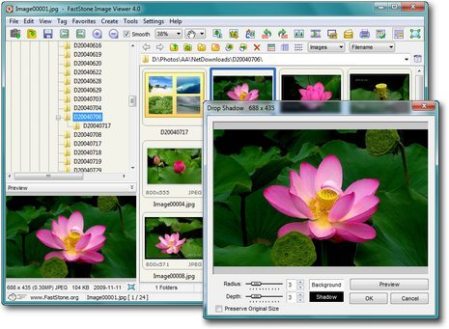
Faststone Image Viewer is a free Windows application that is not only a viewer but provides fairly extensive editing features too. It’s perfect for playing around and experimenting with different processing ideas. While the old favourite IrfanView provides similar functionality its user interface has a dated feel. Faststone Image Viewer on the other hand has a modern user interface with innovative features like hot edges in the full screen view. Moving the mouse pointer to the screen edges triggers pop up interface panels that let you interact with the application when you need to but otherwise stay out of the way, leaving the entire screen for viewing your images.

Go ahead and download the application and start discovering all its great features.

2012 July Competition Winners: Projected Images

Here are the projected image winners from the July competition for which the set subject was On Golden Pond.

Set Subject

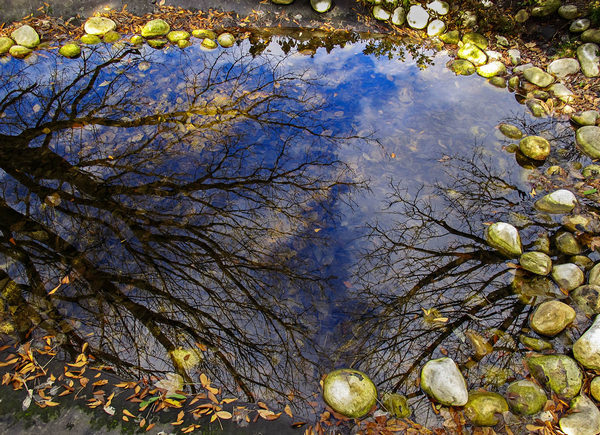
  1. Underwater Mirage
    Kevin Broadley
  2. Tree Pool
    Roger Lee
  3. My Own Golden Pond
    JJ van Heerden

Open

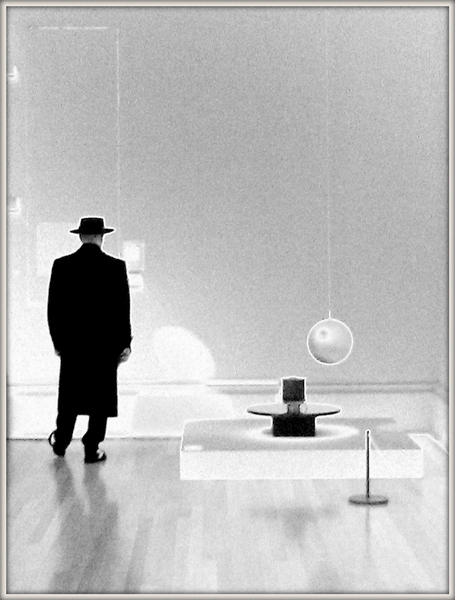
  1. Art Connoisseur
    Giorgio Guasco
  2. A Day’s Work
    Noleen Kutash
  3. Tapestry
    Paddy Howes

The full list of projected image scores can be found in this PDF document.

Monochrome Through Color

The Seven by Five blog article titled Monochrome Through Color begins;

Color… most of us see this everyday and everywhere we look. It’s a very important thing for some us and others just take it for granted. Obviously I deal with color a lot in my photography but I also love my monochrome as anyone who follows me will know very well. One thing I am asked by many people is how do I decide what photo will be color and which will be monochrome. That answer is a bit more simple than some might think.

Read the full article

How to See in Black and White [and how HDR can be a Powerful Tool for the Monochrome Photographer]

Joseph Eckert says on the Digital Photography School blog;

The very first photographs were shot in black and white. Decades later, even after the advent of color, many photographers—especially those concerned with creating works of art—continued to shoot in black and white. The format remains popular even today: nearly every consumer-level digital camera has a black and white mode available (for outputting JPEGs directly from the camera in monochrome), and all digital darkroom editing suites have at least one (and usually multiple) means of changing a color photograph to black and white. Indeed, there are expensive plugins available for Photoshop that are entirely devoted to the process of converting a color shot into black and white, and there dozens of groups on Flickr and Picassa and 500px that are exclusive to black and white photography.

Why do black and white photographs continue to exercise this hold over the fancy of so many photographers (dabbling, amateur, and pro) when we have cameras and techniques at our disposal that can capture every color under the sun? We can produce photographs of spectacular color range, with arresting reds and blues and greens and yellows, and yet the simple power of an effective black and white shot can (arguably, of course) leave even the most brilliantly realized color shot in the artistic dust.

Read the full article

Hueless, a B&W camera app for iPhone

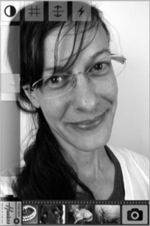
Hueless screenshotI follow A Lesser Photographer and an iPhone app mentioned in his latest newsletter caught my interest. If you like shooting black & white you might want to take a look at this app; I would if I had an iPhone.

Hueless

There’s a reason the best photographers embrace black and white. In the words of one of the greatest living landscape photographers, Clyde Butcher:

“Color is duplication, black and white is interpretation.”

Black and white reveals the most important aspects of an image for the discerning photographer: pattern, texture and luminosity. It’s just the biology of the human eye to be distracted from these elements with the addition of color. Black and white photography is not about purism or minimalism, it’s about mastery of a craft.

Leica recently took advantage of the resurgence in serious black and white photography by introducing their M-Monochrom digital camera. I won’t even get into the sense of buying an $8000 camera that might be obsolete in five years, when for $2000 you can have a Leica film camera that will last a lifetime and still be worth $2000 when you die, but I digress.

Hueless is an app meant specifically for shooting in black and white, with black and white previewing (including the typical black and white filters). This is not processing for black and white after the shot, but viewing in black and white in real time. I still prefer to visualize in black and white and process to match that visualization (interpretation as Clyde says), but if you want the accuracy of a digital preview and you’re trying to capture a fleeting shot, nothing will get you there quicker than this app.

A Simple Explanation of F-Stop

This video, found via PetaPixel, is by Dylan Bennett, who says,

This video explains the f-stop scale used in photography and video. It explains what f-stop actually is and why the f-stop numbers are what they are. I also give an easy trick for remember the entire f-stop scale.

Dylan has some other videos explaining photographic concepts so be sure to visit his channel and see the others once you’ve watched this one.

100 Things I Have Learned About Photography

Apartment Therapy says;

Los Angeles street photographer Eric Kim’s 100 tips and observation about photography is a fun read for anyone who likes to get behind a lens, whether beginner or pro. Recently republished via the Times Photo Journal Facebook page, there’s a lot of sage advice here for just about any situation (example: “Alcohol and photography do not mix well.”).

Read the article